Encrypt PDFs exported from Excel files in C# and VB.NET
The following example shows how you can use the GemBox.Spreadsheet .NET library to convert any Excel workbook to an encrypted PDF file in C# and VB.NET with restricted permissions, which requires a password to be decrypted, viewed, and optionally modified.
using GemBox.Spreadsheet;

class Program
{
    static void Main()
    {
        // If using the Professional version, put your serial key below.
        SpreadsheetInfo.SetLicense("FREE-LIMITED-KEY");

        var workbook = ExcelFile.Load("%InputFileName%");

        var password = "%Password%";
        var ownerPassword = "%OwnerPassword%";

        var options = new PdfSaveOptions()
        {
            DocumentOpenPassword = password,
            PermissionsPassword = ownerPassword,
            Permissions = PdfPermissions.None
        };

        workbook.Save("PDF Encryption.pdf", options);
    }
}
Imports GemBox.Spreadsheet

Module Program

    Sub Main()

        ' If using the Professional version, put your serial key below.
        SpreadsheetInfo.SetLicense("FREE-LIMITED-KEY")

        Dim workbook = ExcelFile.Load("%InputFileName%")

        Dim password = "%Password%"
        Dim ownerPassword = "%OwnerPassword%"

        Dim options = New PdfSaveOptions() With
        {
            .DocumentOpenPassword = password,
            .PermissionsPassword = ownerPassword,
            .Permissions = PdfPermissions.None
        }

        workbook.Save("PDF Encryption.pdf", options)
    End Sub
End Module
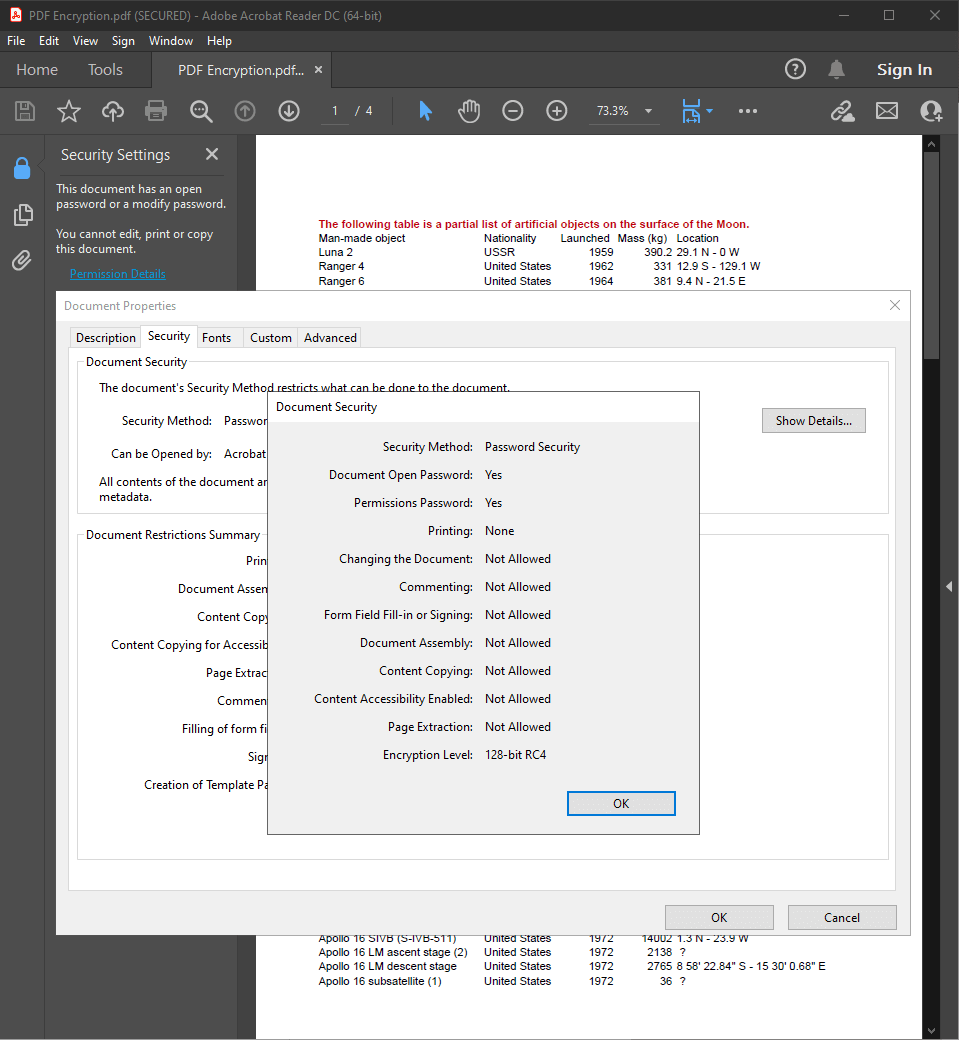
PDF encryption enables you to securely protect the content of your PDF file from unwanted viewers and against unwanted actions such as printing, selecting text, and modifying annotations.
GemBox.Spreadsheet will encrypt the output PDF file if you specify any permission different than PdfPermissions.All or if the user password (DocumentOpenPassword) or owner password (PermissionsPassword) is not null and empty.
You can read more about this on the PdfSaveOptions.Permissions remarks.