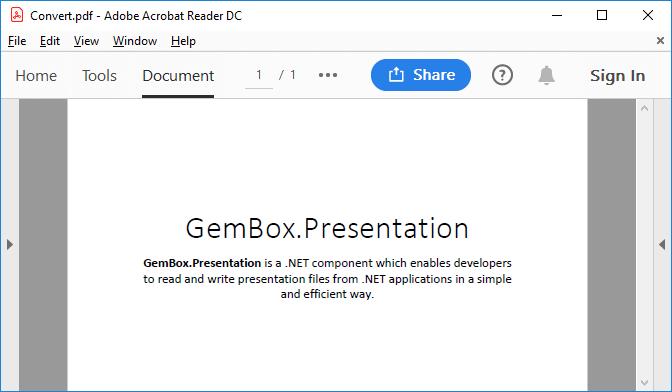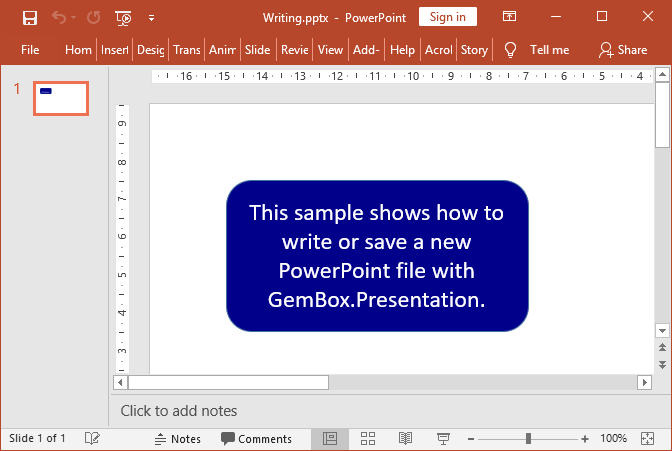
Load and save PowerPoint files in C# and VB.NET
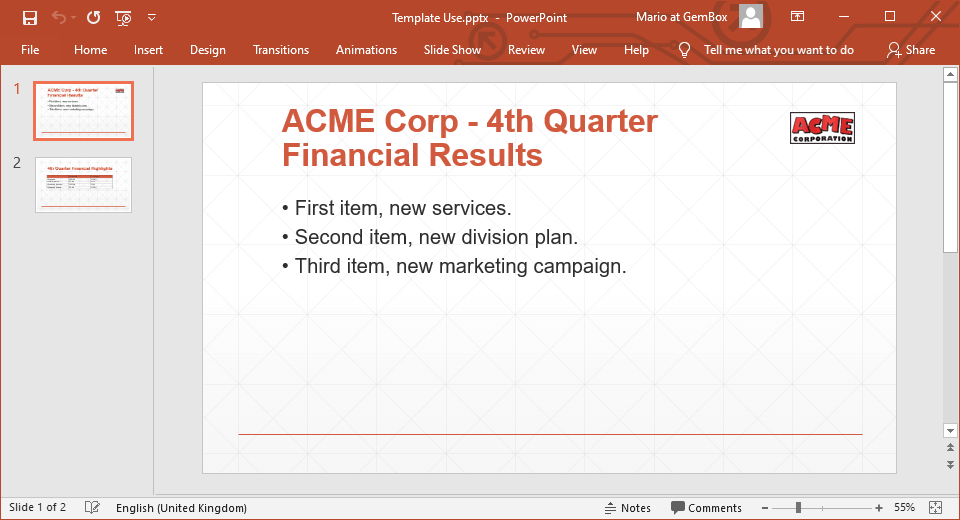
The example below shows how you can use the GemBox.Presentation library to generate a financial report by loading a template PowerPoint presentation and inserting data into it, in C# and VB.NET.
using GemBox.Presentation;
using System.IO;
using System.Linq;

// If using the Professional version, put your serial key below.
ComponentInfo.SetLicense("FREE-LIMITED-KEY");

var presentation = PresentationDocument.Load("Template.pptx");

// Retrieve first slide.
var slide = presentation.Slides[0];

// Retrieve "Title" placeholder and set shape text.
var shape = slide.Content.Drawings
    .OfType<Shape>()
    .First(item => item.Placeholder?.PlaceholderType == PlaceholderType.Title);
shape.Text.Paragraphs[0].AddRun("ACME Corp - 4th Quarter Financial Results");

// Retrieve a picture and replace its image data.
var picture = slide.Content.Drawings
    .OfType<Picture>()
    .First();
using (var image = File.OpenRead("Acme.png"))
    picture.Fill.SetData(image, PictureContentType.Png);

// Retrieve "Content" placeholder.
shape = slide.Content.Drawings
    .OfType<Shape>()
    .First(item => item.Placeholder?.PlaceholderType == PlaceholderType.Content);

// Set list text.
shape.Text.Paragraphs[0].Elements.Clear();
shape.Text.Paragraphs[0].AddRun("First item, new services.");

shape.Text.Paragraphs[1].Elements.Clear();
shape.Text.Paragraphs[1].AddRun("Second item, new division plan.");

shape.Text.Paragraphs[2].Elements.Clear();
shape.Text.Paragraphs[2].AddRun("Third item, new marketing campaign.");

// Retrieve second slide.
slide = presentation.Slides[1];

// Retrieve "Title" placeholder and set shape text.
shape = slide.Content.Drawings
    .OfType<Shape>()
    .First(item => item.Placeholder?.PlaceholderType == PlaceholderType.Title);
shape.Text.Paragraphs[0].AddRun("4th Quarter Financial Highlights");

// Retrieve a table.
var table = slide.Content.Drawings
    .OfType<GraphicFrame>()
    .First(item => item.Table != null)
    .Table;

// Fill table data.
table.Rows[1].Cells[1].Text.Paragraphs[0].Elements.OfType<TextRun>().First().Text = "$14.2M";
table.Rows[1].Cells[2].Text.Paragraphs[0].Elements.OfType<TextRun>().First().Text = "(0.5%)";

table.Rows[2].Cells[1].Text.Paragraphs[0].Elements.OfType<TextRun>().First().Text = "$1.6M";
table.Rows[2].Cells[2].Text.Paragraphs[0].Elements.OfType<TextRun>().First().Text = "0.7%";

table.Rows[3].Cells[1].Text.Paragraphs[0].Elements.OfType<TextRun>().First().Text = "$12.5M";
table.Rows[3].Cells[2].Text.Paragraphs[0].Elements.OfType<TextRun>().First().Text = "0.3%";

table.Rows[4].Cells[1].Text.Paragraphs[0].Elements.OfType<TextRun>().First().Text = "$2.3M";
table.Rows[4].Cells[2].Text.Paragraphs[0].Elements.OfType<TextRun>().First().Text = "(0.2%)";

presentation.Save("Template Use.pptx");
Imports GemBox.Presentation
Imports System.IO
Imports System.Linq
Module Program
Sub Main()
' If using the Professional version, put your serial key below.
ComponentInfo.SetLicense("FREE-LIMITED-KEY")
Dim presentation = PresentationDocument.Load("Template.pptx")
' Retrieve first slide.
Dim slide = presentation.Slides(0)
' Retrieve "Title" placeholder and set shape text.
Dim shape = slide.Content.Drawings _
.OfType(Of Shape) _
.First(Function(item) item.Placeholder?.PlaceholderType = PlaceholderType.Title)
shape.Text.Paragraphs(0).AddRun("ACME Corp - 4th Quarter Financial Results")
' Retrieve a picture and replace its image data.
Dim picture = slide.Content.Drawings _
.OfType(Of Picture) _
.First()
Using image = File.OpenRead("Acme.png")
picture.Fill.SetData(image, PictureContentType.Png)
End Using
' Retrieve "Content" placeholder.
shape = slide.Content.Drawings _
.OfType(Of Shape) _
.First(Function(item) item.Placeholder?.PlaceholderType = PlaceholderType.Content)
' Set list text.
shape.Text.Paragraphs(0).Elements.Clear()
shape.Text.Paragraphs(0).AddRun("First item, new services.")
shape.Text.Paragraphs(1).Elements.Clear()
shape.Text.Paragraphs(1).AddRun("Second item, new division plan.")
shape.Text.Paragraphs(2).Elements.Clear()
shape.Text.Paragraphs(2).AddRun("Third item, new marketing campaign.")
' Retrieve second slide.
slide = presentation.Slides(1)
' Retrieve "Title" placeholder And set shape text.
shape = slide.Content.Drawings _
.OfType(Of Shape) _
.First(Function(item) item.Placeholder?.PlaceholderType = PlaceholderType.Title)
shape.Text.Paragraphs(0).AddRun("4th Quarter Financial Highlights")
' Retrieve a table.
Dim table = slide.Content.Drawings _
.OfType(Of GraphicFrame) _
.First(Function(item) item.Table IsNot Nothing) _
.Table
' Fill table data.
table.Rows(1).Cells(1).Text.Paragraphs(0).Elements.OfType(Of TextRun).First().Text = "$14.2M"
table.Rows(1).Cells(2).Text.Paragraphs(0).Elements.OfType(Of TextRun).First().Text = "(0.5%)"
table.Rows(2).Cells(1).Text.Paragraphs(0).Elements.OfType(Of TextRun).First().Text = "$1.6M"
table.Rows(2).Cells(2).Text.Paragraphs(0).Elements.OfType(Of TextRun).First().Text = "0.7%"
table.Rows(3).Cells(1).Text.Paragraphs(0).Elements.OfType(Of TextRun).First().Text = "$12.5M"
table.Rows(3).Cells(2).Text.Paragraphs(0).Elements.OfType(Of TextRun).First().Text = "0.3%"
table.Rows(4).Cells(1).Text.Paragraphs(0).Elements.OfType(Of TextRun).First().Text = "$2.3M"
table.Rows(4).Cells(2).Text.Paragraphs(0).Elements.OfType(Of TextRun).First().Text = "(0.2%)"
presentation.Save("Template Use.pptx")
End Sub
End ModuleOutput