Create a table of contents in PDF in C# and VB.NET
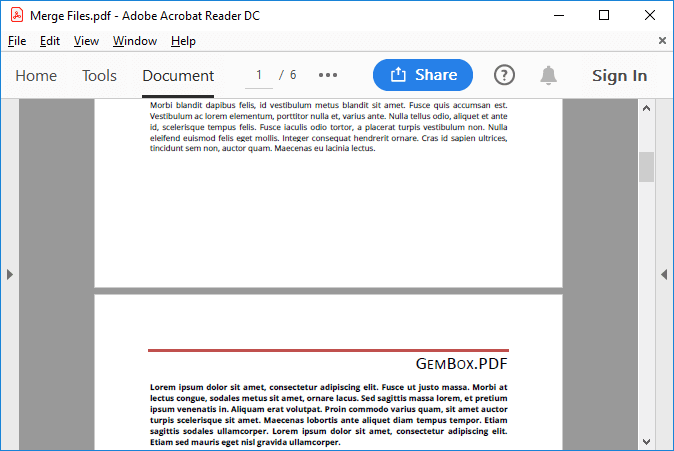
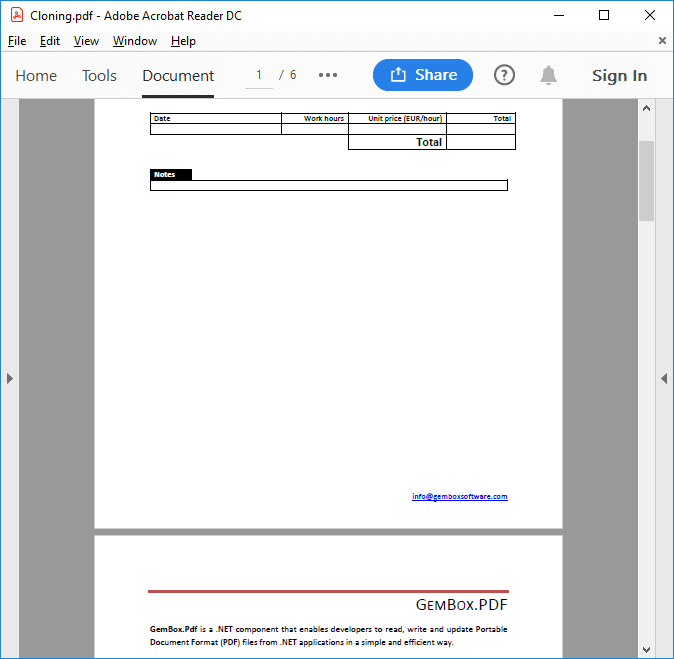
The following example shows how to create a PDF file with a TOC element (table of contents) using the GemBox.Document library, and then attach that file's content to another PDF with the GemBox.Pdf library.
using GemBox.Document;
using GemBox.Pdf;
using GemBox.Pdf.Annotations;
using System.Collections.Generic;
using System.IO;
using System.Linq;

// If using the Professional version, put your GemBox.Pdf serial key below.
GemBox.Pdf.ComponentInfo.SetLicense("FREE-LIMITED-KEY");

// If using the Professional version, put your GemBox.Document serial key below.
GemBox.Document.ComponentInfo.SetLicense("FREE-LIMITED-KEY");

string[] files =
{
    "MergeFile01.pdf",
    "MergeFile02.pdf",
    "MergeFile03.pdf"
};

var tocEntries = new List<(string Title, int PagesCount)>();
using (var document = new PdfDocument())
{
    // Merge PDF files.
    foreach (var file in files)
        using (var source = PdfDocument.Load(file))
        {
            document.Pages.Kids.AddClone(source.Pages);
            tocEntries.Add((Path.GetFileNameWithoutExtension(file), source.Pages.Count));
        }

    int pagesCount;
    int tocPagesCount;

    // Create PDF with Table of Contents.
    using (var tocDocument = PdfDocument.Load(CreatePdfWithToc(tocEntries)))
    {
        pagesCount = tocDocument.Pages.Count;
        tocPagesCount = pagesCount - tocEntries.Sum(entry => entry.PagesCount);

        // Remove empty (placeholder) pages.
        for (int i = pagesCount - 1; i >= tocPagesCount; i--)
            tocDocument.Pages.RemoveAt(i);

        // Insert TOC pages.
        document.Pages.Kids.InsertClone(0, tocDocument.Pages);
    }

    int entryIndex = 0;
    int entryPageIndex = tocPagesCount;

    // Update TOC links and outlines so that they point to adequate pages instead of placeholder pages.
    for (int i = 0; i < tocPagesCount; i++)
        foreach (var annotation in document.Pages[i].Annotations.OfType<PdfLinkAnnotation>())
        {
            var entryPage = document.Pages[entryPageIndex];
            annotation.SetDestination(entryPage, PdfDestinationViewType.FitPage);
            document.Outlines[entryIndex].SetDestination(entryPage, PdfDestinationViewType.FitPage);

            entryPageIndex += tocEntries[entryIndex].PagesCount;
            ++entryIndex;
        }

    document.Save("Merge Files With Toc.pdf");
}

Stream CreatePdfWithToc(List<(string Title, int PagesCount)> tocEntries)
{
    // Create new document.
    var document = new DocumentModel();
    var section = new Section(document);
    document.Sections.Add(section);

    // Add Table of Content.
    var toc = new TableOfEntries(document, FieldType.TOC);
    section.Blocks.Add(toc);

    // Create heading style.
    var heading1Style = (ParagraphStyle)document.Styles.GetOrAdd(StyleTemplateType.Heading1);
    heading1Style.ParagraphFormat.PageBreakBefore = true;

    // Add heading paragraphs and empty (placeholder) pages.
    foreach (var tocEntry in tocEntries)
    {
        section.Blocks.Add(
            new Paragraph(document, tocEntry.Title)
            { ParagraphFormat = { Style = heading1Style } });

        for (int i = 0; i < tocEntry.PagesCount; i++)
            section.Blocks.Add(
                new Paragraph(document,
                    new SpecialCharacter(document, SpecialCharacterType.PageBreak)));
    }

    // Remove last extra-added empty page.
    section.Blocks[section.Blocks.Count - 1].Content.LoadText("");

    // When updating TOC element, an entry is created for each paragraph that has heading style.
    // The entries have the correct page numbers because of the added placeholder pages.
    toc.Update();

    // Save document as PDF.
    var pdfStream = new MemoryStream();
    document.Save(pdfStream, new GemBox.Document.PdfSaveOptions());
    return pdfStream;
}
Imports GemBox.Document
Imports GemBox.Pdf
Imports GemBox.Pdf.Annotations
Imports System.Collections.Generic
Imports System.IO
Imports System.Linq
Module Program
Sub Main()
' If using the Professional version, put your GemBox.Pdf serial key below.
GemBox.Pdf.ComponentInfo.SetLicense("FREE-LIMITED-KEY")
' If using the Professional version, put your GemBox.Document serial key below.
GemBox.Document.ComponentInfo.SetLicense("FREE-LIMITED-KEY")
Dim files = New String() _
{
"MergeFile01.pdf",
"MergeFile02.pdf",
"MergeFile03.pdf"
}
Dim tocEntries = New List(Of (Title As String, PagesCount As Integer))()
Using document As New PdfDocument()
' Merge PDF files.
For Each file In files
Using source = PdfDocument.Load(file)
document.Pages.Kids.AddClone(source.Pages)
tocEntries.Add((Path.GetFileNameWithoutExtension(file), source.Pages.Count))
End Using
Next
Dim pagesCount As Integer
Dim tocPagesCount As Integer
' Create PDF with Table of Contents.
Using tocDocument = PdfDocument.Load(CreatePdfWithToc(tocEntries))
pagesCount = tocDocument.Pages.Count
tocPagesCount = pagesCount - tocEntries.Sum(Function(entry) entry.PagesCount)
' Remove empty (placeholder) pages.
For i = pagesCount - 1 To tocPagesCount Step -1
tocDocument.Pages.RemoveAt(i)
Next
' Insert TOC pages.
document.Pages.Kids.InsertClone(0, tocDocument.Pages)
End Using
Dim entryIndex As Integer = 0
Dim entryPageIndex As Integer = tocPagesCount
' Update TOC links and outlines so that they point to adequate pages instead of placeholder pages.
For i = 0 To tocPagesCount - 1
For Each annotation In document.Pages(i).Annotations.OfType(Of PdfLinkAnnotation)()
Dim entryPage = document.Pages(entryPageIndex)
annotation.SetDestination(entryPage, PdfDestinationViewType.FitPage)
document.Outlines(entryIndex).SetDestination(entryPage, PdfDestinationViewType.FitPage)
entryPageIndex += tocEntries(entryIndex).PagesCount
entryIndex += 1
Next
Next
document.Save("Merge Files With Toc.pdf")
End Using
End Sub
Function CreatePdfWithToc(tocEntries As List(Of (Title As String, PagesCount As Integer))) As Stream
' Create new document.
Dim document As New DocumentModel()
Dim section As New Section(document)
document.Sections.Add(section)
' Add Table of Content.
Dim toc As New TableOfEntries(document, FieldType.TOC)
section.Blocks.Add(toc)
' Create heading style.
Dim heading1Style = CType(document.Styles.GetOrAdd(StyleTemplateType.Heading1), ParagraphStyle)
heading1Style.ParagraphFormat.PageBreakBefore = True
' Add heading paragraphs and empty (placeholder) pages.
For Each tocEntry In tocEntries
section.Blocks.Add(
New Paragraph(document, tocEntry.Title) With
{.ParagraphFormat = New ParagraphFormat() With {.Style = heading1Style}})
For i As Integer = 0 To tocEntry.PagesCount - 1
section.Blocks.Add(
New Paragraph(document,
New SpecialCharacter(document, SpecialCharacterType.PageBreak)))
Next
Next
' Remove last extra-added empty page.
section.Blocks(section.Blocks.Count - 1).Content.LoadText("")
' When updating TOC element, an entry is created for each paragraph that has heading style.
' The entries have the correct page numbers because of the added placeholder pages.
toc.Update()
' Save document as PDF.
Dim pdfStream As New MemoryStream()
document.Save(pdfStream, New GemBox.Document.PdfSaveOptions())
Return pdfStream
End Function
End ModuleOutput
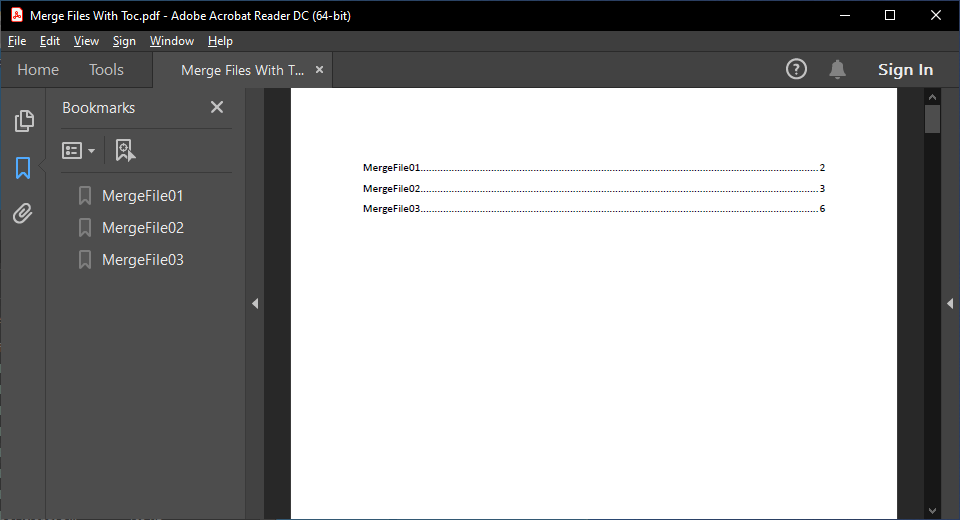
The easiest way to create a Table of Contents is using GemBox.Document, which enables you to define various styles and formattings for the TOC entries, and generate them automatically. For more information, see the example example.