Create PDF marked content in C# and VB.NET
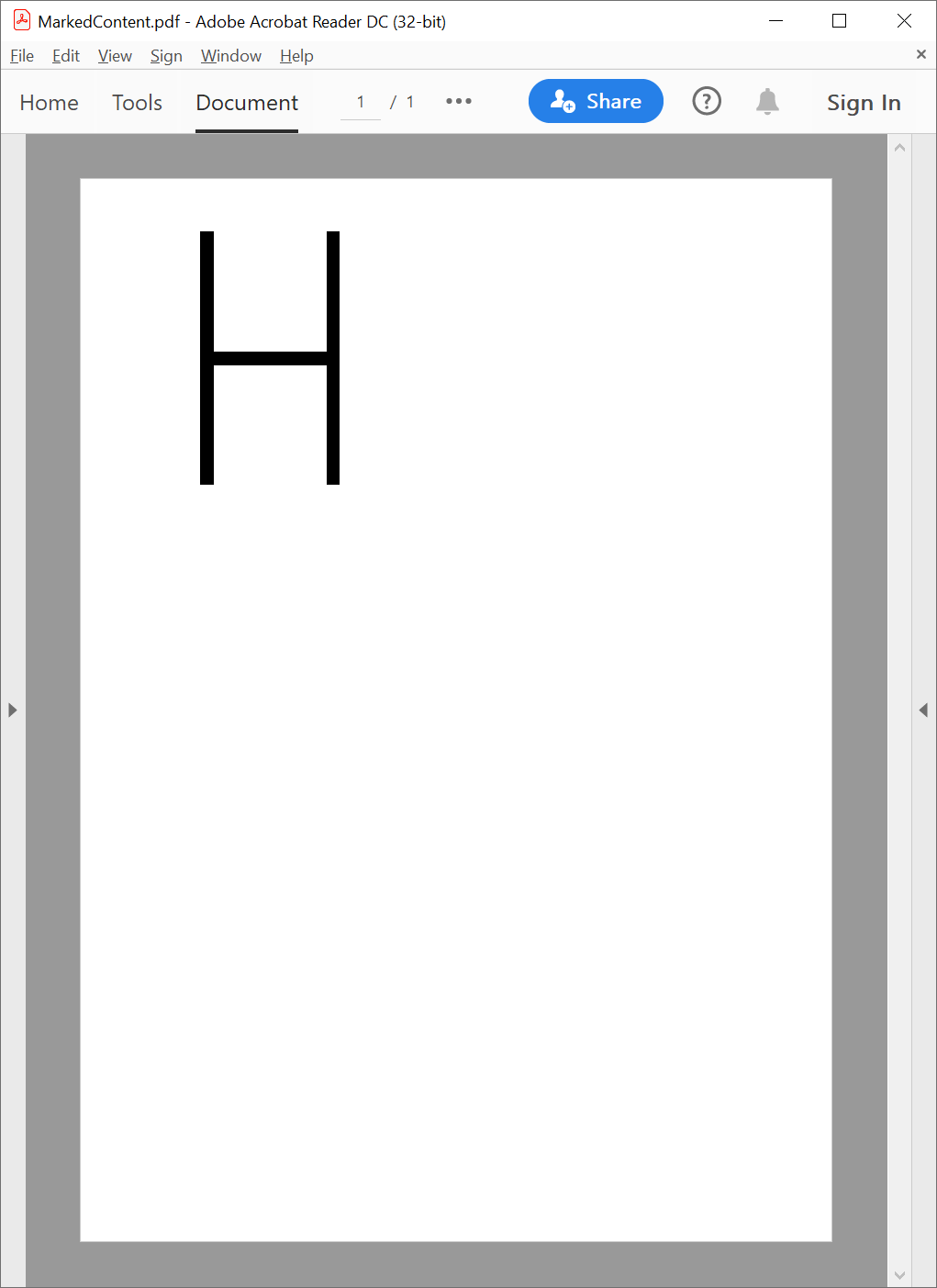
With the following example, you can learn how to use the GemBox.Pdf library to mark geometrical content in PDF documents, which is a visual representation of specific Unicode content.
using GemBox.Pdf;
using GemBox.Pdf.Content.Marked;
using GemBox.Pdf.Objects;

// If using the Professional version, put your serial key below.
ComponentInfo.SetLicense("FREE-LIMITED-KEY");

using (var document = new PdfDocument())
{
    var page = document.Pages.Add();

    // Surround the path with the marked content start and marked content end elements.
    var markStart = page.Content.Elements.AddMarkStart(new PdfContentMarkTag(PdfContentMarkTagRole.Span));

    var markedProperties = markStart.GetEditableProperties().GetDictionary();

    // Set replacement text for a path, as specified in https://opensource.adobe.com/dc-acrobat-sdk-docs/standards/pdfstandards/pdf/PDF32000_2008.pdf#page=623
    markedProperties[PdfName.Create("ActualText")] = PdfString.Create("H");

    // Add the path that is a visual representation of the letter 'H'.
    var path = page.Content.Elements.AddPath()
        .BeginSubpath(100, 600).LineTo(100, 800)
        .BeginSubpath(100, 700).LineTo(200, 700)
        .BeginSubpath(200, 600).LineTo(200, 800);

    var format = path.Format;
    format.Stroke.IsApplied = true;
    format.Stroke.Width = 10;

    page.Content.Elements.AddMarkEnd();

    document.Save("MarkedContent.pdf");
}
Imports GemBox.Pdf
Imports GemBox.Pdf.Content.Marked
Imports GemBox.Pdf.Objects
Module Program
Sub Main()
' If using the Professional version, put your serial key below.
ComponentInfo.SetLicense("FREE-LIMITED-KEY")
Using document = New PdfDocument()
Dim page = document.Pages.Add()
' Surround the path with the marked content start and marked content end elements.
Dim markStart = page.Content.Elements.AddMarkStart(New PdfContentMarkTag(PdfContentMarkTagRole.Span))
Dim markedProperties = markStart.GetEditableProperties().GetDictionary()
' Set replacement text for a path, as specified in https://opensource.adobe.com/dc-acrobat-sdk-docs/standards/pdfstandards/pdf/PDF32000_2008.pdf#page=623
markedProperties(PdfName.Create("ActualText")) = PdfString.Create("H")
' Add the path that is a visual representation of the letter 'H'.
Dim path = page.Content.Elements.AddPath() _
.BeginSubpath(100, 600).LineTo(100, 800) _
.BeginSubpath(100, 700).LineTo(200, 700) _
.BeginSubpath(200, 600).LineTo(200, 800)
Dim format = path.Format
format.Stroke.IsApplied = True
format.Stroke.Width = 10
page.Content.Elements.AddMarkEnd()
document.Save("MarkedContent.pdf")
End Using
End Sub
End ModuleOutput