Add headers and footers to PDF documents in C# and VB.NET
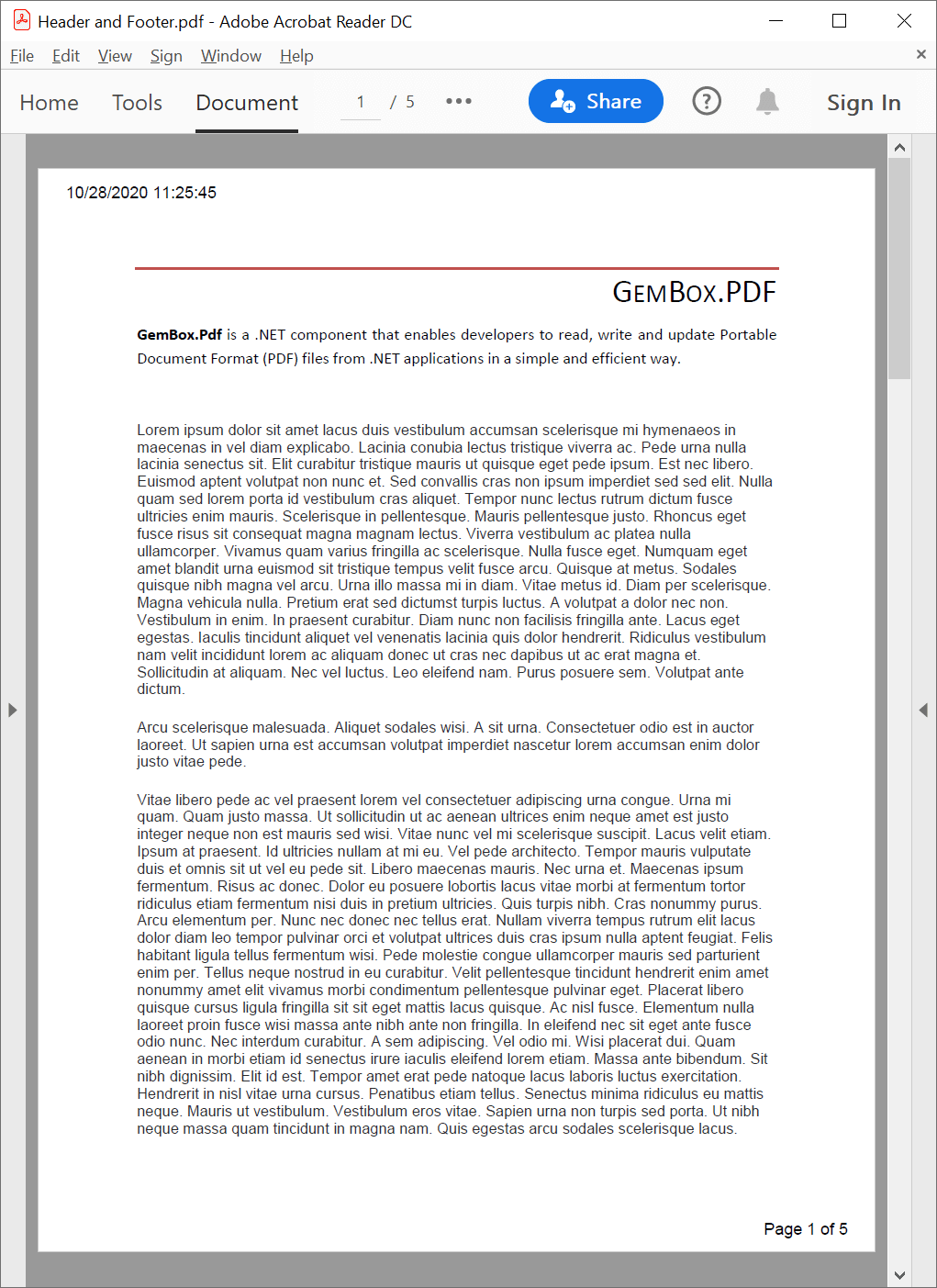
The following example shows how you can use the GemBox.Pdf library to easily add a header and a footer to an existing PDF file, from your C# or VB.NET application.
using GemBox.Pdf;
using GemBox.Pdf.Content;
using System;
using System.Globalization;

class Program
{
    static void Main()
    {
        // If using the Professional version, put your serial key below.
        ComponentInfo.SetLicense("FREE-LIMITED-KEY");

        using (var document = PdfDocument.Load("%InputFileName%"))
        {
            double marginLeft = 20, marginTop = 10, marginRight = 20, marginBottom = 10;

            using (var formattedText = new PdfFormattedText())
            {
                formattedText.Append(DateTime.Now.ToString(CultureInfo.InvariantCulture));

                // Add a header with the current date and time to all pages.
                foreach (var page in document.Pages)
                {
                    // Set the location of the bottom-left corner of the text.
                    // We want the top-left corner of the text to be at location (marginLeft, marginTop)
                    // from the top-left corner of the page.
                    // NOTE: In PDF, location (0, 0) is at the bottom-left corner of the page
                    // and the positive y axis extends vertically upward.
                    double x = marginLeft, y = page.CropBox.Top - marginTop - formattedText.Height;

                    page.Content.DrawText(formattedText, new PdfPoint(x, y));
                }

                // Add a footer with the current page number to all pages.
                int pageCount = document.Pages.Count, pageNumber = 0;
                foreach (var page in document.Pages)
                {
                    ++pageNumber;

                    formattedText.Clear();
                    formattedText.Append(string.Format("Page {0} of {1}", pageNumber, pageCount));

                    // Set the location of the bottom-left corner of the text.
                    double x = page.CropBox.Width - marginRight - formattedText.Width, y = marginBottom;

                    page.Content.DrawText(formattedText, new PdfPoint(x, y));
                }
            }

            document.Save("Header and Footer.%OutputFileType%");
        }
    }
}
Imports GemBox.Pdf
Imports GemBox.Pdf.Content
Imports System
Imports System.Globalization

Module Program

    Sub Main()

        ' If using the Professional version, put your serial key below.
        ComponentInfo.SetLicense("FREE-LIMITED-KEY")

        Using document = PdfDocument.Load("%InputFileName%")

            Dim marginLeft As Double = 20, marginTop As Double = 10, marginRight As Double = 20, marginBottom As Double = 10

            Using formattedText = New PdfFormattedText()

                formattedText.Append(DateTime.Now.ToString(CultureInfo.InvariantCulture))

                ' Add a header with the current date and time to all pages.
                For Each page In document.Pages

                    ' Set the location of the bottom-left corner of the text.
                    ' We want the top-left corner of the text to be at location (marginLeft, marginTop)
                    ' from the top-left corner of the page.
                    ' NOTE: In PDF, location (0, 0) is at the bottom-left corner of the page
                    ' and the positive y axis extends vertically upward.
                    Dim x As Double = marginLeft, y As Double = page.CropBox.Top - marginTop - formattedText.Height

                    page.Content.DrawText(formattedText, New PdfPoint(x, y))
                Next

                ' Add a footer with the current page number to all pages.
                Dim pageCount As Integer = document.Pages.Count, pageNumber As Integer = 0
                For Each page In document.Pages

                    pageNumber += 1

                    formattedText.Clear()
                    formattedText.Append(String.Format("Page {0} of {1}", pageNumber, pageCount))

                    ' Set the location of the bottom-left corner of the text.
                    Dim x As Double = page.CropBox.Width - marginRight - formattedText.Width, y As Double = marginBottom

                    page.Content.DrawText(formattedText, New PdfPoint(x, y))
                Next
            End Using

            document.Save("Header and Footer.%OutputFileType%")
        End Using
    End Sub
End Module