Manipulate PDF content streams and resources in C# and VB.NET
In the following example, you can see how to use GemBox.Pdf to improve the performance when writing text to multiple pages of your PDF document, using the same font because the embedded subset of the font is calculated just once and not after editing each page.
using GemBox.Pdf;
using GemBox.Pdf.Content;

// If using the Professional version, put your serial key below.
ComponentInfo.SetLicense("FREE-LIMITED-KEY");

using (var document = new PdfDocument())
{
    using (var formattedText = new PdfFormattedText())
    {
        // Set the font to TrueType font that will be subset and embedded in the document.
        formattedText.Font = new PdfFont("Calibri", 96);

        // Draw a single letter on each page.
        for (int i = 0; i < 2; ++i)
        {
            formattedText.Append(((char)('A' + i)).ToString());

            var page = document.Pages.Add();

            // Begin editing the page content, but don't end it until all pages are edited.
            page.Content.BeginEdit();

            page.Content.DrawText(formattedText, new PdfPoint(100, 500));

            formattedText.Clear();
        }
    }

    // End editing of all pages.
    // This will convert the content of each page back to the underlying content stream and the accompanying resource dictionary.
    // Subset of the 'Calibri' font, that contains only glyphs for characters 'A' to 'B' will be calculated just once before being
    // embedded in the document.
    foreach (var page in document.Pages)
        page.Content.EndEdit();

    document.Save("Content Streams And Resources.pdf");
}
Imports GemBox.Pdf
Imports GemBox.Pdf.Content
Module Program
Sub Main()
' If using the Professional version, put your serial key below.
ComponentInfo.SetLicense("FREE-LIMITED-KEY")
Using document = New PdfDocument()
Using formattedText = New PdfFormattedText()
' Set the font to TrueType font that will be subset and embedded in the document.
formattedText.Font = New PdfFont("Calibri", 96)
' Draw a single letter on each page.
For i As Integer = 0 To 1
formattedText.Append(ChrW(AscW("A"c) + i).ToString())
Dim page = document.Pages.Add()
' Begin editing the page content, but don't end it until all pages are edited.
page.Content.BeginEdit()
page.Content.DrawText(formattedText, New PdfPoint(100, 500))
formattedText.Clear()
Next
End Using
' End editing of all pages.
' This will convert the content of each page back to the underlying content stream and the accompanying resource dictionary.
' Subset of the 'Calibri' font, that contains only glyphs for characters 'A' to 'B' will be calculated just once before being
' embedded in the document.
For Each page In document.Pages
page.Content.EndEdit()
Next
document.Save("Content Streams And Resources.pdf")
End Using
End Sub
End Module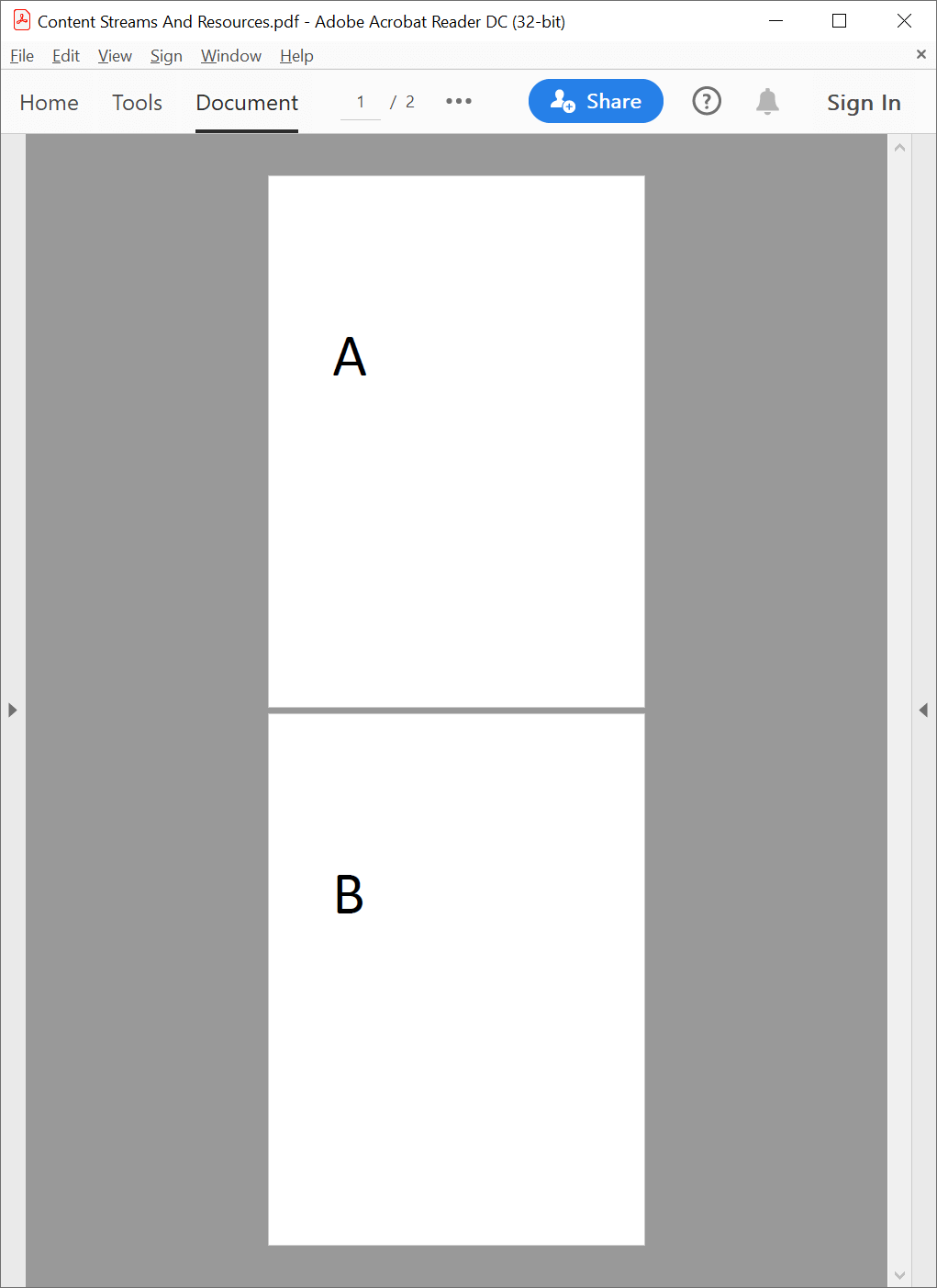
Note that this example creates just two pages because of the free version limitations. But, the performance boost of using the demonstrated explicit editing of PDF pages would be more noticeable when writing different text on many pages using one or more TrueType/OpenType fonts on each page.
Some instructions reference content stream resources, such as fonts, images, form XObjects, patterns, shadings, color spaces, or marked content properties which are contained in the accompanying resource dictionary and referenced from the content stream by a unique name.
GemBox.Pdf converts a content stream and the accompanying resource dictionary into a tree of PdfContentElements, starting with the PdfContent as the root, for easier inspection and manipulation.
Technical notes
When editing the
PdfForm.Contentor thePdfTilingPattern.Content, you must callPdfContent.BeginEdit()before andPdfContent.EndEdit()after editing.Calling
PdfContent.BeginEdit()andPdfContent.EndEdit()is optional when editing thePdfPage.Contentbut might improve performance in some situations.When
PdfContent.EndEdit()is called, GemBox.Pdf converts back thePdfContentand allPdfContentElements underneath it to a content stream and the accompanying resource dictionary.For more information about PDF content streams and resources in GemBox.Pdf, see the Content Streams and Resources help page.