Clone or import pages between PDF documents in C# and VB.NET
The following code example shows how you can use the GemBox.Pdf .NET library to clone pages from another PDF document.
using GemBox.Pdf;
using System;

class Program
{
    static void Main()
    {
        // If using the Professional version, put your serial key below.
        ComponentInfo.SetLicense("FREE-LIMITED-KEY");

        using (var document = PdfDocument.Load("%InputFileName%"))
        {
            int pageCount = %PagesCount%;

            // Load a source document.
            using (var source = PdfDocument.Load("%#LoremIpsum.pdf%"))
            {
                // Get the number of pages to clone.
                int cloneCount = Math.Min(pageCount, source.Pages.Count);

                // Clone the requested number of pages from the source document
                // and add them to the destination document.
                for (int i = 0; i < cloneCount; i++)
                    document.Pages.AddClone(source.Pages[i]);
            }

            document.Save("Cloning.pdf");
        }
    }
}
Imports GemBox.Pdf
Imports System

Module Program

    Sub Main()

        ' If using the Professional version, put your serial key below.
        ComponentInfo.SetLicense("FREE-LIMITED-KEY")

        Using document = PdfDocument.Load("%InputFileName%")

            Dim pageCount As Integer = %PagesCount%

            ' Load a source document.
            Using source = PdfDocument.Load("%#LoremIpsum.pdf%")

                ' Get the number of pages to clone.
                Dim cloneCount = Math.Min(pageCount, source.Pages.Count)

                ' Clone the requested number of pages from the source document
                ' and add them to the destination document.
                For i As Integer = 0 To cloneCount - 1
                    document.Pages.AddClone(source.Pages(i))
                Next
            End Using

            document.Save("Cloning.pdf")
        End Using
    End Sub
End Module
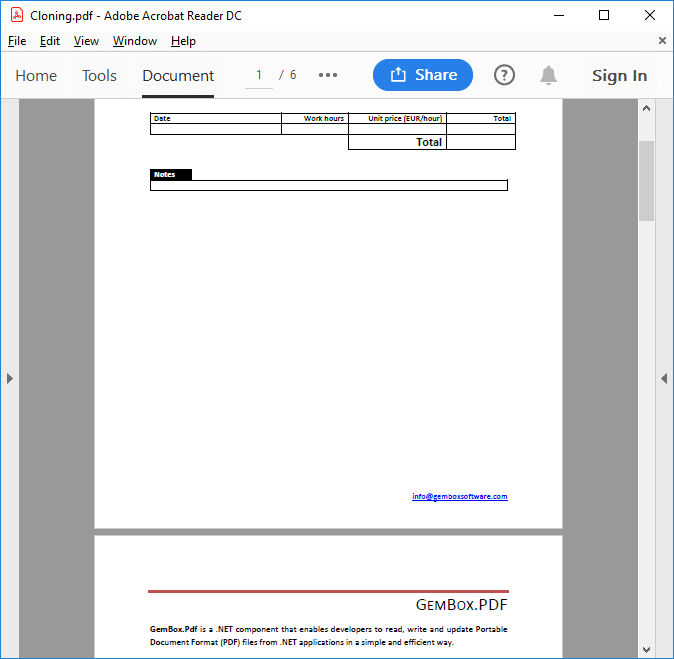
It's possible to duplicate an entire PdfDocument, using the PdfDocument.Clone() method, or just a specific page using the PdfPages.AddClone() method. For more information about cloning in GemBox.Pdf, see the Document Structure help page.