SSL certificate validation with an SMTP server in C# and VB.NET
The following example demonstrates how to use the GemBox.Email .NET library in C# and VB.NET to perform a custom SSL certificate validation when connecting to an SMTP server.
using GemBox.Email;
using GemBox.Email.Security;
using GemBox.Email.Smtp;
using System;
using System.Net.Security;
using System.Security.Cryptography.X509Certificates;

class Program
{
    static void Main()
    {
        // If using the Professional version, put your serial key below.
        ComponentInfo.SetLicense("FREE-LIMITED-KEY");

        // Create certificate validation delegate.
        RemoteCertificateValidationCallback validationDelegate =
            (object sender,
             X509Certificate certificate,
             X509Chain chain,
             SslPolicyErrors errors) =>
            {
                if (errors == SslPolicyErrors.None || errors == SslPolicyErrors.RemoteCertificateNameMismatch)
                {
                    Console.WriteLine("Server certificate is valid.");
                    return true;
                }
                else
                {
                    Console.WriteLine($"Server certificate is invalid: {errors}");
                    return false;
                }
            };

        // Create new SmtpClient and specify host, port, security and certificate validation callback.
        using (SmtpClient smtp = new SmtpClient(
            "<ADDRESS> (e.g. smtp.gmail.com)",
            465,
            ConnectionSecurity.Ssl,
            validationDelegate))
        {
            // Connect to email server.
            smtp.Connect();
            Console.WriteLine("Connected.");

            // Authenticate with specified username, password and authentication mechanism.
            smtp.Authenticate("<USERNAME>", "<PASSWORD>", SmtpAuthentication.Plain);
            Console.WriteLine("Authenticated.");
        }
    }
}
Imports GemBox.Email
Imports GemBox.Email.Security
Imports GemBox.Email.Smtp
Imports System
Imports System.Net.Security
Imports System.Security.Cryptography.X509Certificates
Module Program
Sub Main()
' If using the Professional version, put your serial key below.
ComponentInfo.SetLicense("FREE-LIMITED-KEY")
' Create certificate validation delegate.
Dim validationDelegate As RemoteCertificateValidationCallback =
Function(sender As Object,
certificate As X509Certificate,
chain As X509Chain,
errors As SslPolicyErrors) As Boolean
If errors = SslPolicyErrors.None OrElse errors = SslPolicyErrors.RemoteCertificateNameMismatch Then
Console.WriteLine("Server certificate is valid.")
Return True
Else
Console.WriteLine($"Server certificate is invalid: {errors}")
Return False
End If
End Function
' Create new SmtpClient and specify host, port, security and certificate validation callback.
Using smtp As New SmtpClient(
"<ADDRESS> (e.g. smtp.gmail.com)",
465,
ConnectionSecurity.Ssl,
validationDelegate)
' Connect to email server.
smtp.Connect()
Console.WriteLine("Connected.")
' Authenticate with specified username, password and authentication mechanism.
smtp.Authenticate("<USERNAME>", "<PASSWORD>", SmtpAuthentication.Plain)
Console.WriteLine("Authenticated.")
End Using
End Sub
End Module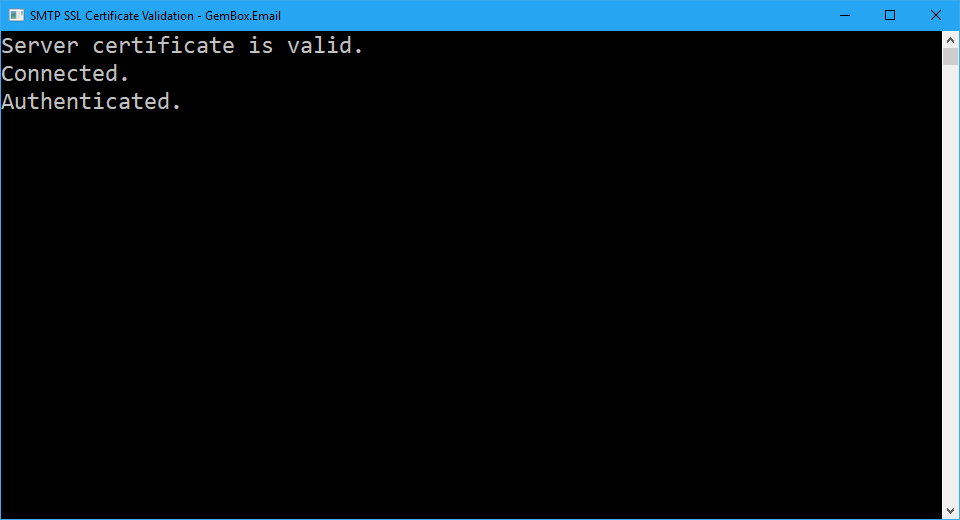
By default, SmtpClient will try to connect to your email server using a Secure Sockets Layer (SSL)/Transport Layer Security (TLS) encrypted connection.
For more information about SmtpClient, check out our SMTP Client Connection example.