Get the mailbox information from the POP3 client in C# and VB.NET
The following example shows how you can use the GemBox.Email library to get the mail message count and the overall mailbox size from a POP3 client in C# and VB.NET.
using GemBox.Email;
using GemBox.Email.Pop;
using System;

class Program
{
    static void Main()
    {
        // If using the Professional version, put your serial key below.
        ComponentInfo.SetLicense("FREE-LIMITED-KEY");

        using (PopClient pop = new PopClient("<ADDRESS> (e.g. pop.gmail.com)"))
        {
            pop.Connect();
            pop.Authenticate("<USERNAME>", "<PASSWORD>");

            // Get number of available messages.
            Console.WriteLine($"Mailbox message count: {pop.GetCount()}");

            // Get size of all available messages in bytes.
            Console.WriteLine($"Mailbox size: {pop.GetSize()} Byte(s)");
        }
    }
}
Imports GemBox.Email
Imports GemBox.Email.Pop
Imports System

Module Program

    Sub Main()

        ' If using the Professional version, put your serial key below.
        ComponentInfo.SetLicense("FREE-LIMITED-KEY")

        Using pop As New PopClient("<ADDRESS> (e.g. pop.gmail.com)")

            pop.Connect()
            pop.Authenticate("<USERNAME>", "<PASSWORD>")

            ' Get number of available messages.
            Console.WriteLine($"Mailbox message count: {pop.GetCount()}")

            ' Get size of all available messages in bytes
            Console.WriteLine($"Mailbox size: {pop.GetSize()} Byte(s)")
        End Using
    End Sub
End Module
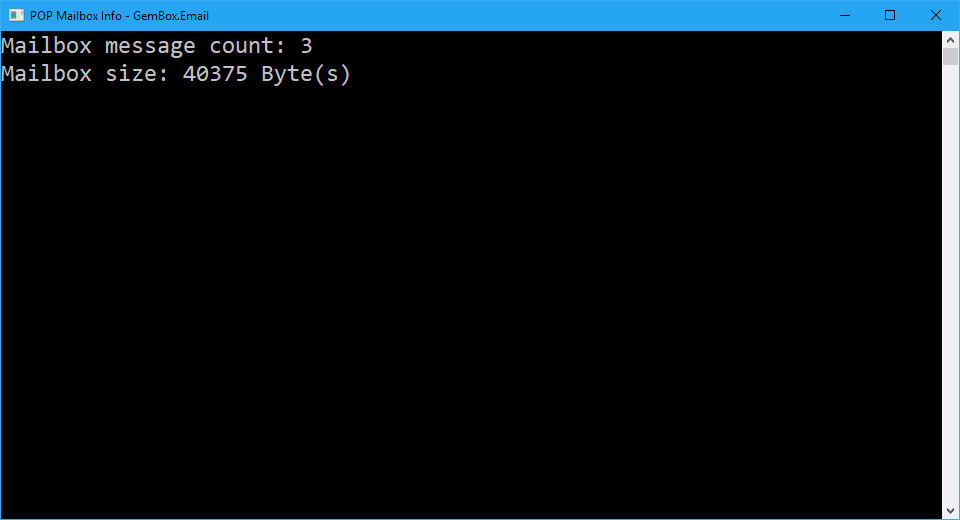
The fastest way how to detect a change on your email server with GemBox.Email is to periodically call a PopClient.GetCount method in order to get the number of currently available messages on the server. By checking the message count, you can determine if the new message(s) was received or if the existing message(s) was removed.
For more information about PopClient, check out our POP2 Client Connection example.