List email messages with the POP3 protocol in C# and VB.NET
The following example shows how to get the list of messages via the POP3 protocol and display their basic information in C# and VB.NET with the GemBox.Email library.
using GemBox.Email;
using GemBox.Email.Pop;
using System;
using System.Collections.Generic;

class Program
{
    static void Main()
    {
        // If using the Professional version, put your serial key below.
        ComponentInfo.SetLicense("FREE-LIMITED-KEY");

        using (PopClient pop = new PopClient("<ADDRESS> (e.g. pop.gmail.com)"))
        {
            pop.Connect();
            pop.Authenticate("<USERNAME>", "<PASSWORD>");

            // Get information about all available messages.
            IList<PopMessageInfo> infos = pop.ListMessages();

            // Display messages information.
            foreach (PopMessageInfo info in infos)
                Console.WriteLine($"{info.Number} - [{info.Uid}] - {info.Size} Byte(s)");
        }
    }
}
Imports GemBox.Email
Imports GemBox.Email.Pop
Imports System
Imports System.Collections.Generic

Module Program

    Sub Main()

        ' If using the Professional version, put your serial key below.
        ComponentInfo.SetLicense("FREE-LIMITED-KEY")

        Using pop As New PopClient("<ADDRESS> (e.g. pop.gmail.com)")

            pop.Connect()
            pop.Authenticate("<USERNAME>", "<PASSWORD>")

            ' Get information about all available messages.
            Dim infos As IList(Of PopMessageInfo) = pop.ListMessages()

            ' Display messages information.
            For Each info As PopMessageInfo In infos
                Console.WriteLine($"{info.Number} - [{info.Uid}] - {info.Size} Byte(s)")
            Next
        End Using
    End Sub
End Module
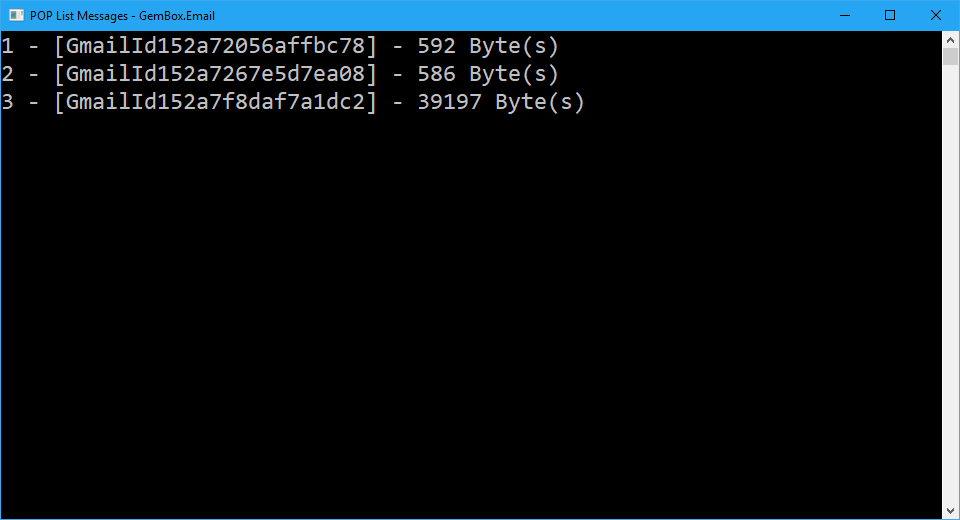
POP3 servers allow clients to list currently available messages. This can, for instance, enable you to use PopClient to fetch the summary information of the emails and display the information to users without having to first download all of the messages from the server.
To obtain the message listing with GemBox.Email, you need to use one of the PopClient.ListMessages methods. The returned collection of PopMessageInfo objects contains only basic message information, such as sequence number, size, and unique designator.
For more information about PopClient, check out our POP3 Client Connection example.