Create and add calendars to email in C# and VB.NET
The following example shows how you can use the GemBox.Email library to create a new Calendar, add it to a MailMessage and save it to a file in your C# and VB.NET applications.
using GemBox.Email;
using GemBox.Email.Calendar;
using System;
using System.Linq;

// If using the Professional version, put your serial key below.
ComponentInfo.SetLicense("FREE-LIMITED-KEY");

// Create new message.
MailMessage message = new MailMessage("sender@example.com", "receiver@example.com");

message.Subject = "Mail Message With Calendar";
message.BodyText = "Hi! I am sending you my calendar.";

// Create new calendar.
Calendar calendar = new Calendar();
Event ev = new Event();
ev.Organizer = message.Sender;
ev.Name = "GemBox Meeting Request";
ev.Start = new DateTime(2018, 1, 10, 9, 0, 0, DateTimeKind.Utc);
ev.End = new DateTime(2018, 1, 12, 18, 0, 0, DateTimeKind.Utc);
ev.Attendees.Add(message.To.First());
calendar.Events.Add(ev);

// Add calendar to the mail message.
message.Calendars.Add(calendar);

message.Save("Add To Message.eml");
Imports GemBox.Email
Imports GemBox.Email.Calendar
Imports System
Imports System.Linq
Module Program
Sub Main()
' If using the Professional version, put your serial key below.
ComponentInfo.SetLicense("FREE-LIMITED-KEY")
' Create new message.
Dim message As New MailMessage("sender@example.com", "receiver@example.com")
message.Subject = "Mail Message With Calendar"
message.BodyText = "Hi! I am sending you my calendar."
' Create new calendar.
Dim calendar As New Calendar()
Dim ev As New [Event]()
ev.Organizer = message.Sender
ev.Name = "GemBox Meeting Request"
ev.Start = New DateTime(2018, 1, 10, 9, 0, 0, DateTimeKind.Utc)
ev.End = New DateTime(2018, 1, 12, 18, 0, 0, DateTimeKind.Utc)
ev.Attendees.Add(message.To.First)
calendar.Events.Add(ev)
' Add calendar to the mail message.
message.Calendars.Add(calendar)
message.Save("Add To Message.eml")
End Sub
End ModuleOutput
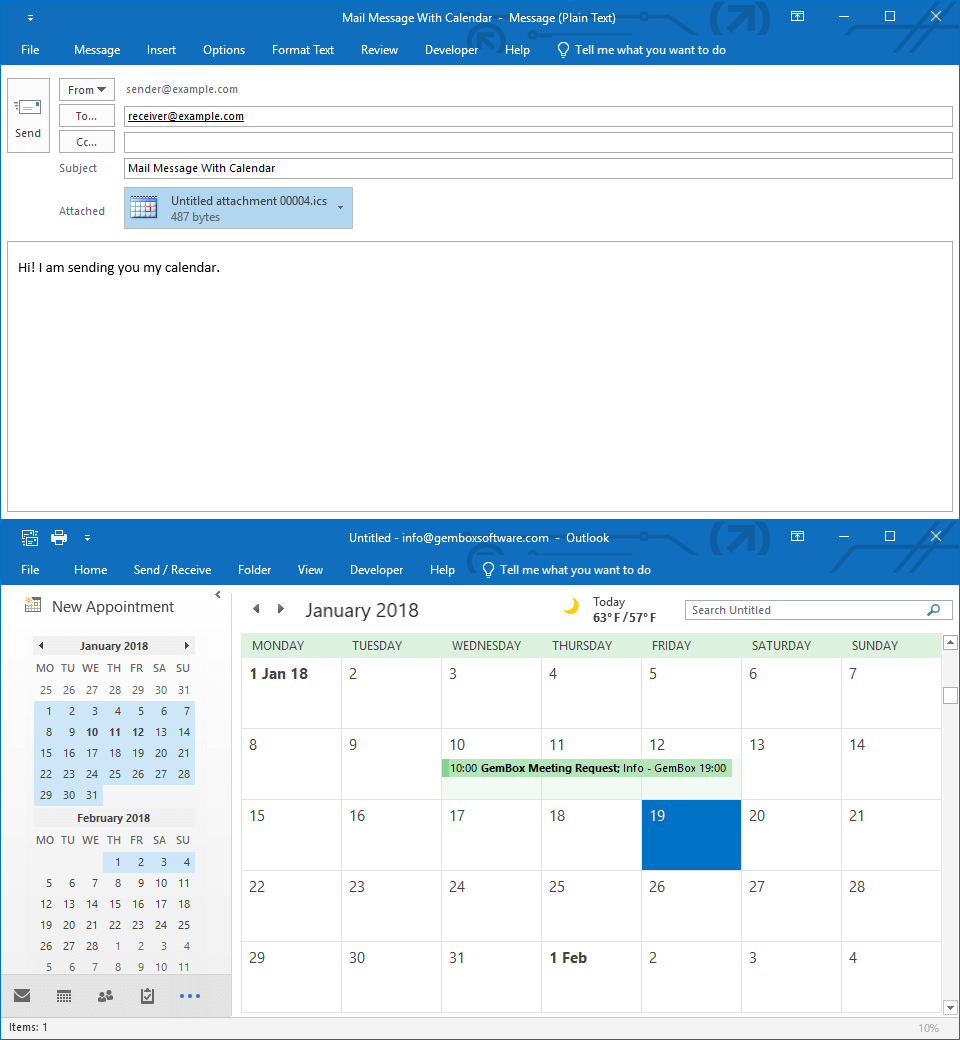
GemBox.Email enables you to add a Calendar to a MailMessage.Calendars collection, which can be later sent or saved to a file.
Note that you can add multiple calendars to a single email or retrieve all calendars from a loaded or received email.