Create a Word (DOCX) document on Linux or macOS
GemBox.Document is a standalone .NET component with cross-platform support. It can be used on non-Windows platforms like Linux and macOS.
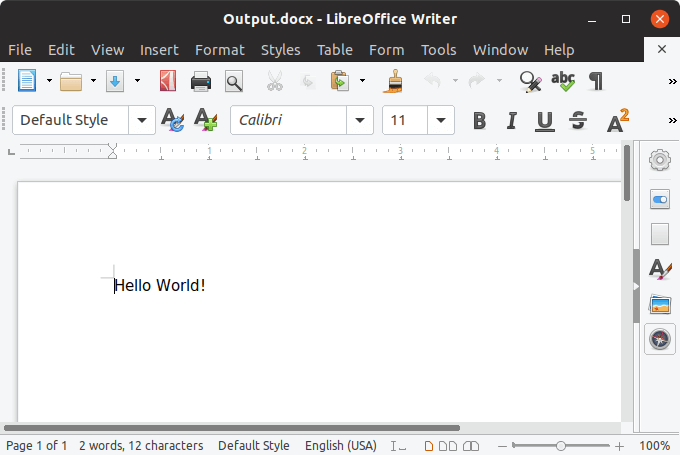
The following example shows how you can create a Word document and a PDF file using GemBox.Document on Linux (Ubuntu).
Prerequisites
- Install Visual Studio Code.
- Install C# for Visual Studio Code extension.
- Install .NET Core SDK on Ubuntu.
After installing the requirements listed above, follow the steps below that show how you can easily use Visual Studio Code (VS Code) to create a simple Console project, and a C# code snippet that generates DOCX and PDF files.
1. Open a project folder
- Open VS Code.
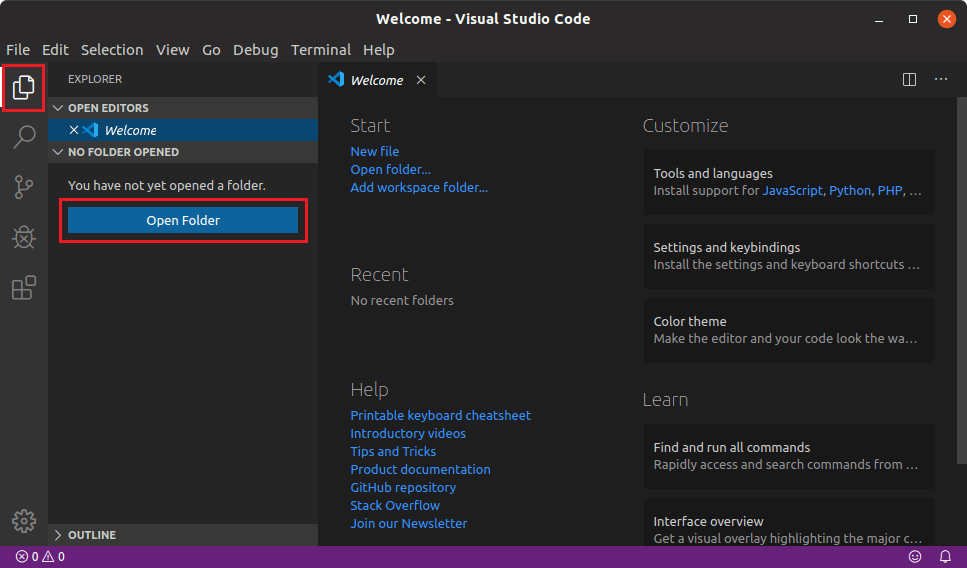
- Click "Open Folder" on the EXPLORER panel.
- Select the folder you want your console project to be in, for instance a folder named GemBoxExample.
2. Create a new console project
- Open Integrated Terminal in VS Code by clicking "View" > "Terminal" or using CTRL + ` shortcut.
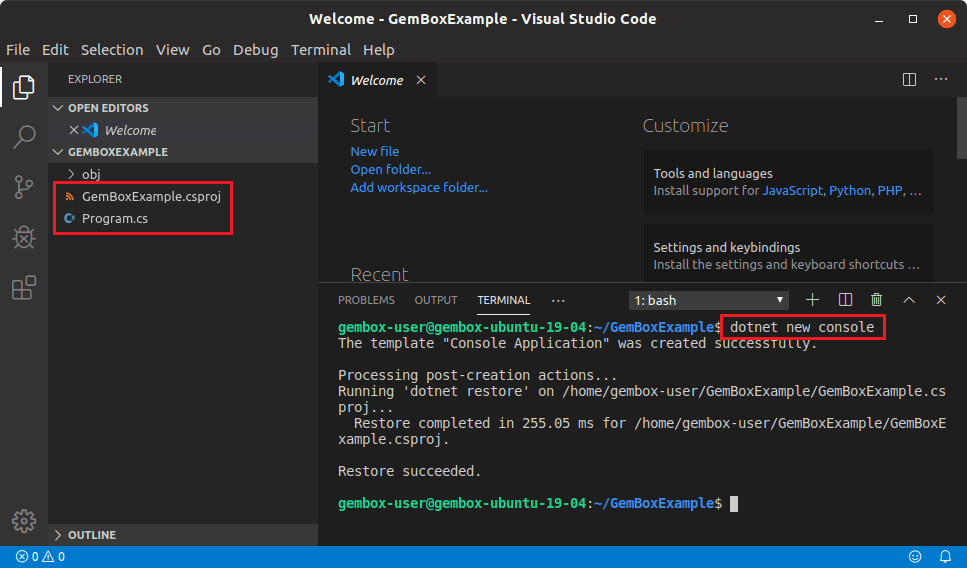
- In the terminal window, execute the following command:
dotnet new console - This command will create a code file (Program.cs) and a project file (GemBoxExample.csproj) inside the opened folder.
3. Edit project files
- Add a reference to GemBox.Document in the GemBoxExample.csproj file:
<ItemGroup> <PackageReference Include="GemBox.Document" Version="*" /> </ItemGroup> - Edit the C# code in Program.cs file:
using GemBox.Document;

class Program
{
    static void Main()
    {
        // If using the Professional version, put your serial key below.
        ComponentInfo.SetLicense("FREE-LIMITED-KEY");

        DocumentModel document = new DocumentModel();

        Section section = new Section(document);
        document.Sections.Add(section);

        Paragraph paragraph = new Paragraph(document);
        section.Blocks.Add(paragraph);

        Run run = new Run(document, "Hello World!");
        paragraph.Inlines.Add(run);

        document.Save("Output.docx");
        document.Save("Output.pdf");
    }
}
4. Run the console project
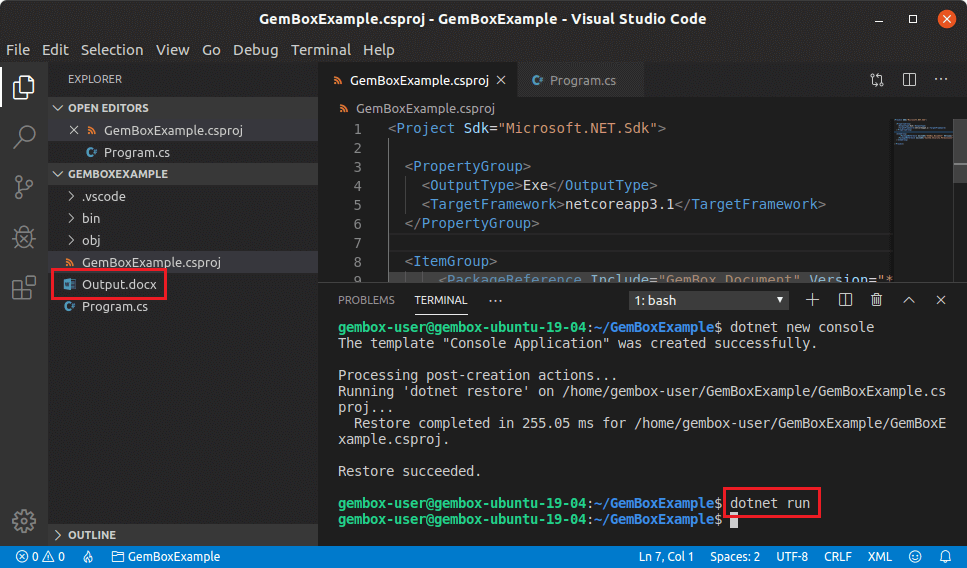
- In the terminal window, execute the following command:
dotnet run - This command will run your Console application and create a Word document (Output.docx) and a PDF file (Output.pdf) that you can open in any Word and PDF applications.
Using the full functionality of GemBox.Document on Linux host requires adjustments explained in detail on Supported Platforms help page.