Convert PDF to Word (DOCX) in C# and VB.NET
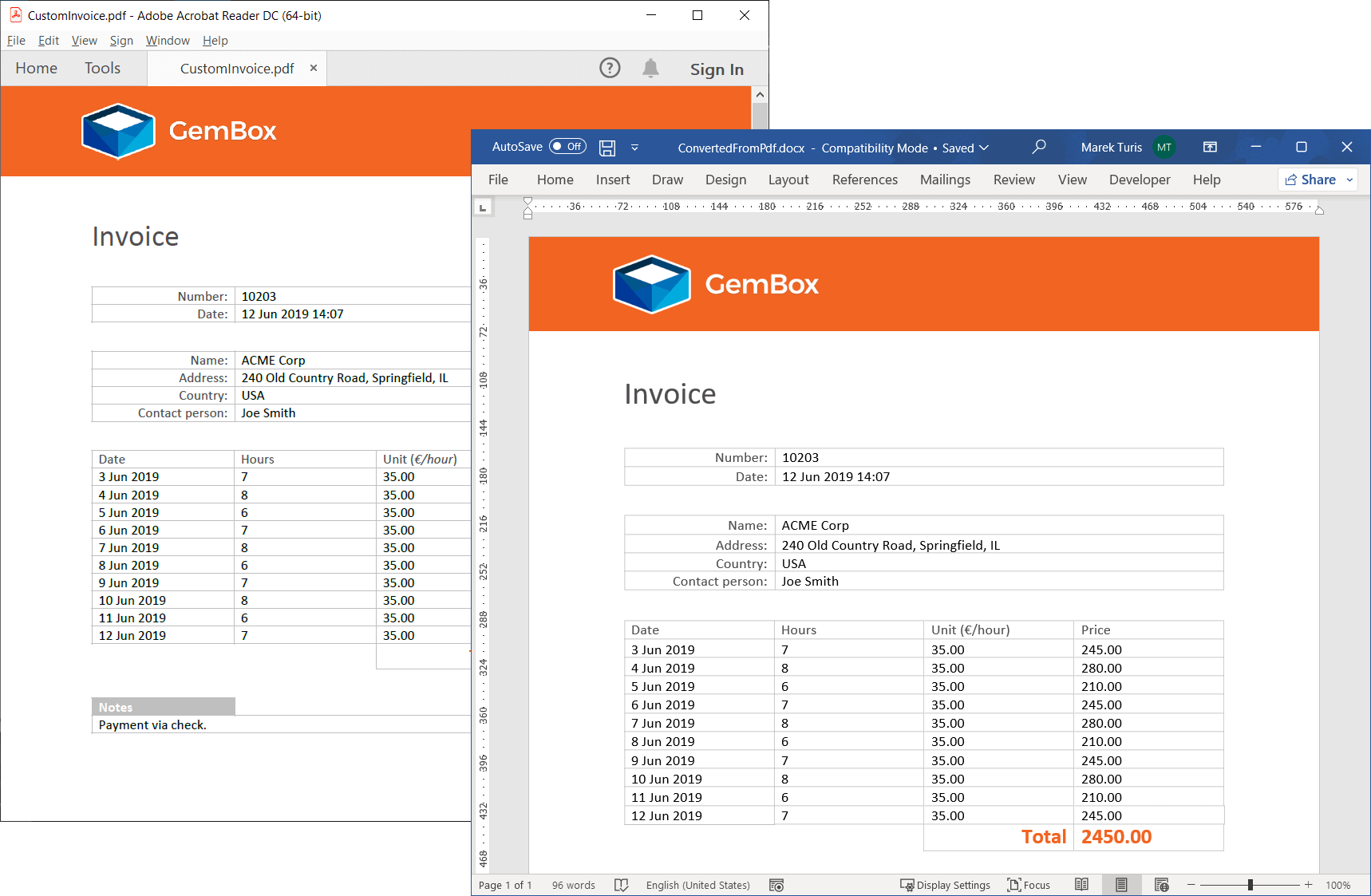
You can convert a PDF to a Word DOCX document with the GemBox.Document library using high-fidelity loading.
High-fidelity loading doesn't try to detect logical structure of the PDF document, instead it absolutely positions elements on the page. The saved DOCX file (or other file type) is then visually almost identical to the original PDF.
The following example shows how to do it in C# and VB.NET:
using GemBox.Document;

class Program
{
    static void Main()
    {
        // If using the Professional version, put your serial key below.
        ComponentInfo.SetLicense("FREE-LIMITED-KEY");

        var document = DocumentModel.Load("%InputFileName%",
            new PdfLoadOptions()
            {
                LoadType = PdfLoadType.HighFidelity
            });

        document.Save("ConvertedFromPdf.docx");
    }
}
Imports GemBox.Document

Module Program

    Sub Main()

        ' If using the Professional version, put your serial key below.
        ComponentInfo.SetLicense("FREE-LIMITED-KEY")

        Dim document = DocumentModel.Load("%InputFileName%",
            New PdfLoadOptions() With
            {
                .LoadType = PdfLoadType.HighFidelity
            })

        document.Save("ConvertedFromPdf.docx")

    End Sub
End Module
You can read more about the various types of loading PDF and how to choose one in the PDF loading article.